Big launch · Nov 10, 2026
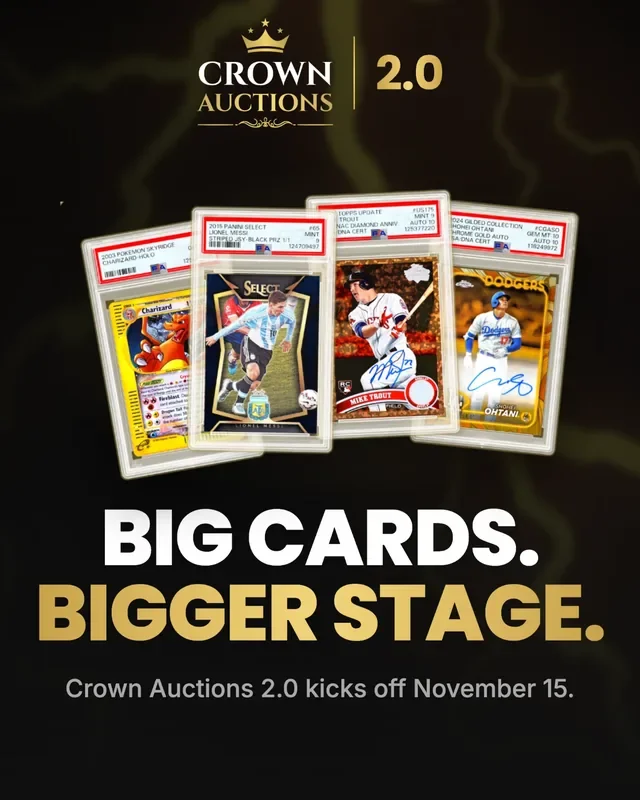
Crown Auctions 2.0
Our monthly top-card auction is back and rebuilt. Sellers set their own starting bid, every card is checked against recent sales, and you see your full total before you bid.
New features, improvements and fixes to My Card Post, as they ship.
Big launch · Nov 10, 2026
Our monthly top-card auction is back and rebuilt. Sellers set their own starting bid, every card is checked against recent sales, and you see your full total before you bid.
Better app search results. When you type a search in the app, the best matches now show first. Newer cards come next.
Hide cards on For You. On the website, you can hide a card you do not want to see on For You. My Card Post then shows fewer cards like it. Tap Undo if you change your mind.
A wider mix on For You. A For You page now shows no more than 3 cards from one seller. The rest move to the next page.
More cards to browse. A listing page now shows more cards for the same player. A player page links to all of that player's cards in the marketplace.
Sellers set the starting bid. Choose your own starting bid for Crown. Our team checks it against recent sales before the auction opens.
See your total before you bid. The bid window shows what you will pay if you win. That includes the 5% buyer's premium on the card price, but not shipping.
Resubmit a declined card. If your Crown card is declined, fix it and send it again right from the notice.
First-trade reminder. Your first trade with a new member shows a safety reminder, at any trade value.
Not interested on For You. On the website, click the eye button to hide a For You card. You can undo it, and you'll see fewer cards like it.
Reply threads open by default. Replies on feed comments show right away, and the reply box grows as you type.
For You stops repeating cards. Scrolling For You in the app no longer shows the same cards twice.
Each match shows once. In the "Matches" tab of Alerts and Wants, a listing that fits several of your wants shows up only once.
Pages stop jumping while they load. Sold-listing photos and the top of the page on desktop no longer move the page while they load.
Top Traders, Buyers, and Sellers. The leaderboard box on the feed has tabs for top traders, buyers, and sellers.
Marketplace Safety guide. A new guide to buying, selling, and trading safely.
Wallet refunds go back to how you paid. When you refund your shipping wallet balance, it goes back to the payment card or bank you paid with.
Vacation means vacation. You can't buy from or make offers to sellers who are on vacation, even from your watch list.
Great Price badge. Cards priced below or within 10% of recent sales get a Great Price badge. Sort and filter by it in the marketplace and in seller shops.
Has comps and Video added filters. Use "Has comps" to see only cards with recent sales data, or "Video added" to see only cards with a video.
New listings show up in search right away. A card you list can be found in search as soon as it goes live, not after the nightly update.
@mentions in comments. Tag another member in a comment on any post. Comment alerts now say who commented.
Star ratings on the reviews page. See a rating summary at the top. Tap a star level to read only those reviews.
Drafts sorted by date, with a Relist button. Your drafts are sorted by when each card became a draft. The email for an auction with no bids has a Relist button.
Share a sale. Every finished sale gets its own share page. When you post it on X or Facebook, it shows the card photo and price.
Player pages. Every player has a page with all of their cards for sale on My Card Post.
Watcher counts. Listing pages show how many collectors are watching a card.
Easier feed browsing. Cards on a feed post sit in one row you can swipe. When you make a post, a Show more button helps you pick cards.
Blocking cancels open deals. When you block a member, any open trades and cash offers between you are cancelled.
Safer checkout. You can no longer pay a seller who is suspended or deleted, and their open deals are cancelled for you.
Weekly records on the feed. A card on the feed shows how this week's deals compare with last week. A records page shows every week next to the best week ever, and a Monday post looks back at last week.
Sharper search. Results that match your exact words come before close spellings, and Best Match is now the default sort.
Ship together. When one buyer gets several cards from you, put them in one package and buy one label on the website.
Pay for several offers at once. If a seller accepts several of your cash offers, pay for all of them in one PayPal checkout with one shipping charge.
Like comments. Like a comment or reply on any feed post, and see how many likes it has.
Share cards. Share a listing, a sale, your shop, or a Want List as a ready-made picture. Every finished deal has a Share button.
New Improved Fixed
Got an idea for the hobby? Send it to us.
X, Facebook, Text and Copy link share a link with its own preview card.